❖ The crux of the system is of course the ability to log different geological objects using tapes and so forth.
❖ To open the Geology dialog, you access this from the Data tab in the ribbon.

❖ Note that at any time if you do not want to see the construction geometries (tapes, reference points etc), you can turn off the EYE in the Geology dialog.
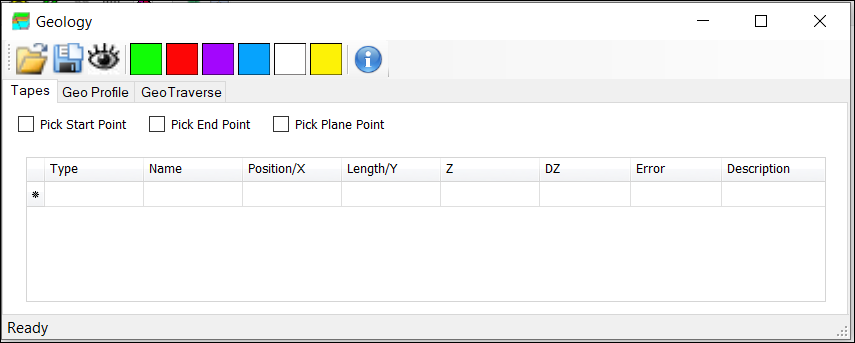
❖ The Geology window has a tool-strip at the top for creating:
Clasts  , Lithology
  , Minerals
  , Structures
  , Surfaces
  , Images/Sketches
  using the coloured buttons.
Note: You need to first select objects from your scene before you can add Clasts etc.
❖ Below this are tabs for creating and working with Tapes, Geo Profile, and Geo Traverse.